Document Processing
AIKON enables targeted processing of document sets using computer vision algorithms. Users select documents, configure treatments, and review results through dedicated interfaces.
Launching Treatments
Treatments represent tasks applied to document sets. AIKON handles three types of processes:
- Region localization identify visual components (illustrations, text lines, diagrams)
- Region comparison compute similarity scores between localized regions
- Region analysis generate metadata for regions (vectorization, transcription)
Once the document set is constituted or loaded into selection, users can access the treatment form and choose which algorithms to apply to the selected documents.
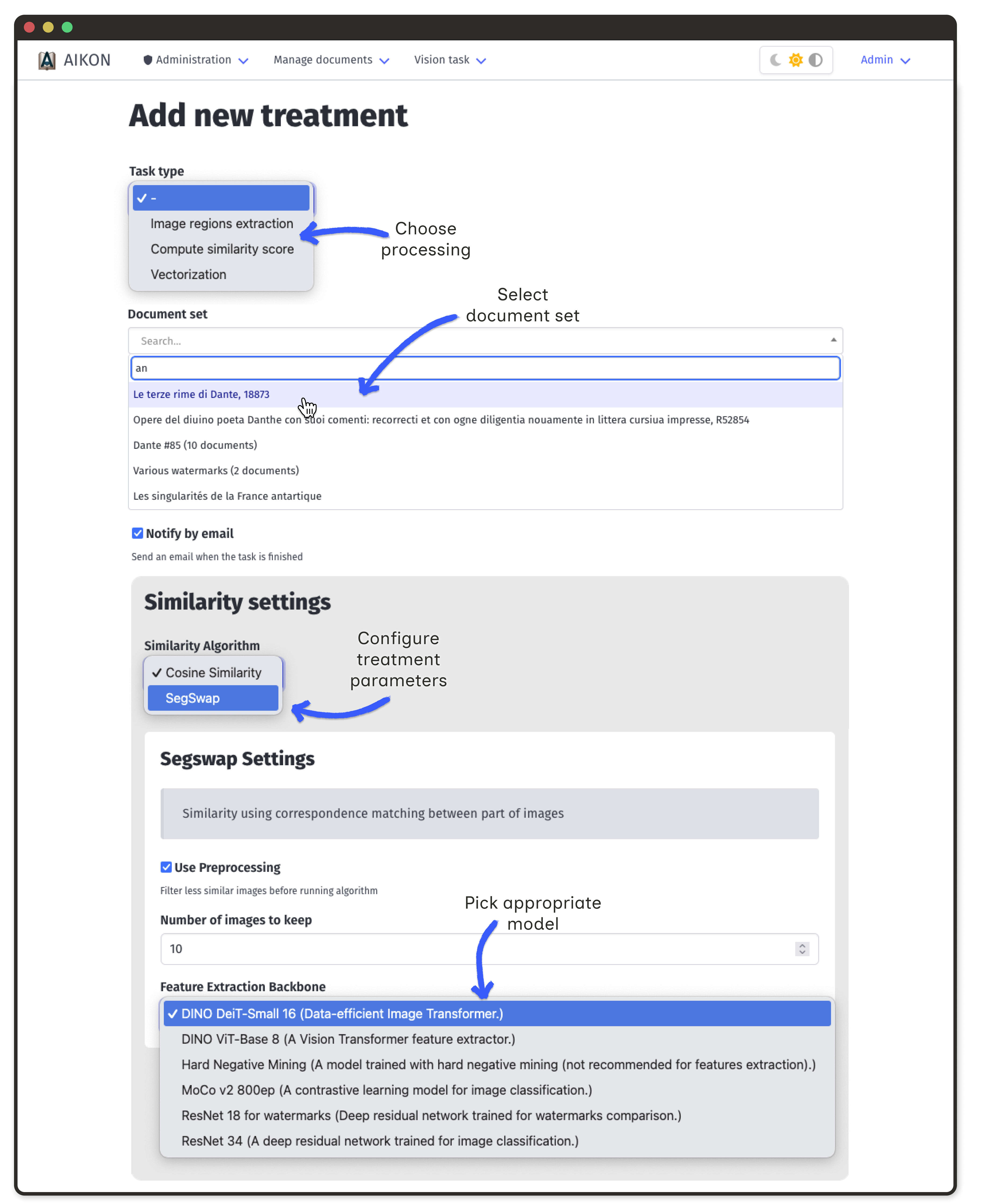
Track treatment status in the treatment list interface. Processing time depends on document count and algorithm complexity.
Available treatments
Region extraction
Detect and localize visual components in document digitization
Similarity retrieval
Compute scores to find visually related regions across documents
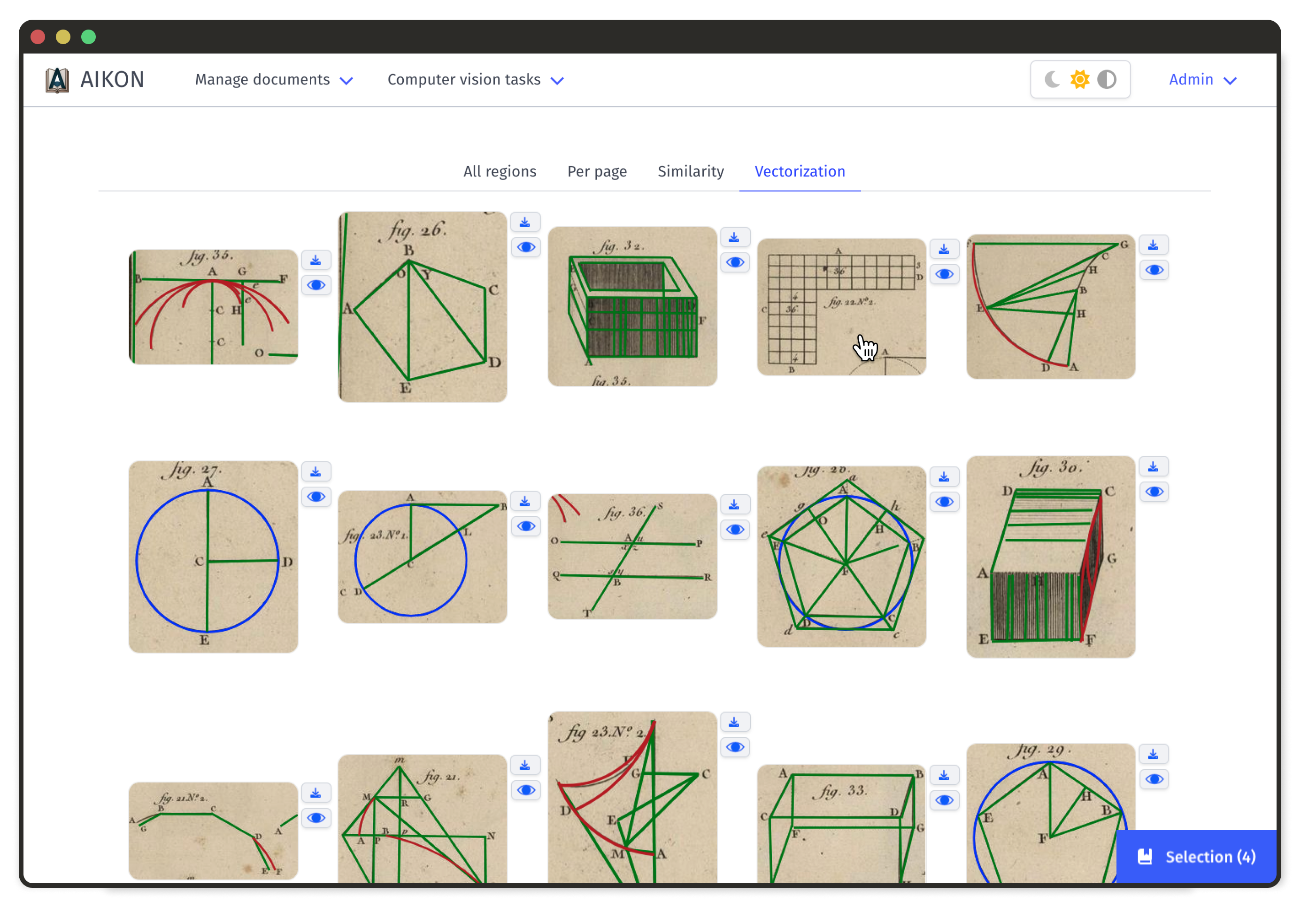
Vectorization
Decompose diagram images into editable geometrical shapes
Region Extraction Results
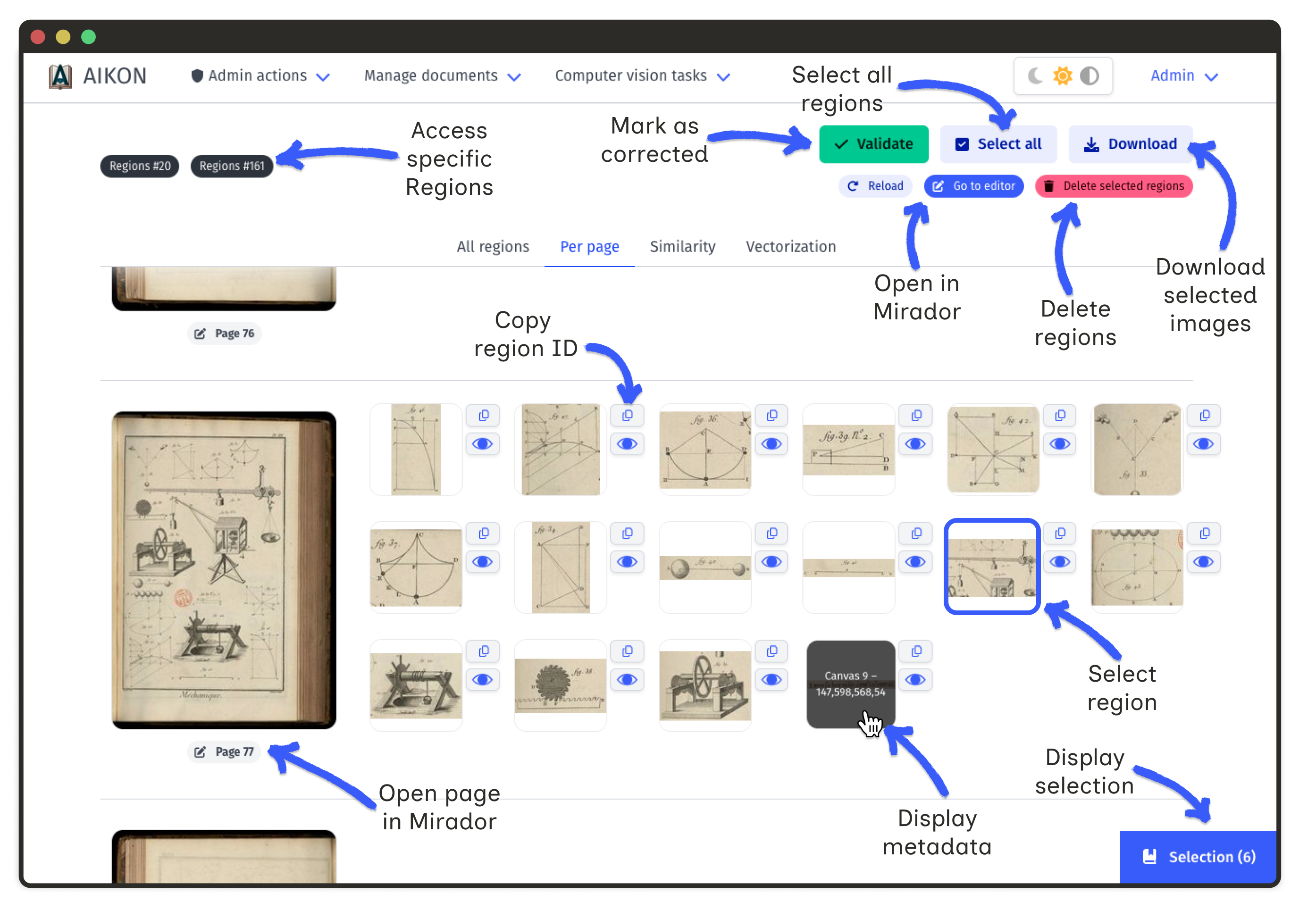
After region extraction, navigate to a witness to view detected regions. Two views are available:
- Document overview all regions displayed at once for quick review
- Per-page view paginated display for detailed inspection
Click on the eye icon to open a modal allowing close examination of the region and its context in the original page image.
Editing Regions
AIKON provides tools to correct automated detections:
- Delete regions select regions and click "Delete selected regions"
- Add missing regions click "Go to editor" to open the Mirador viewer
- Refine bounding boxes adjust region coordinates in the viewer
Similarity Results
The similarity interface displays ranked matches for each region. Researchers can classify correspondences to build validated networks.
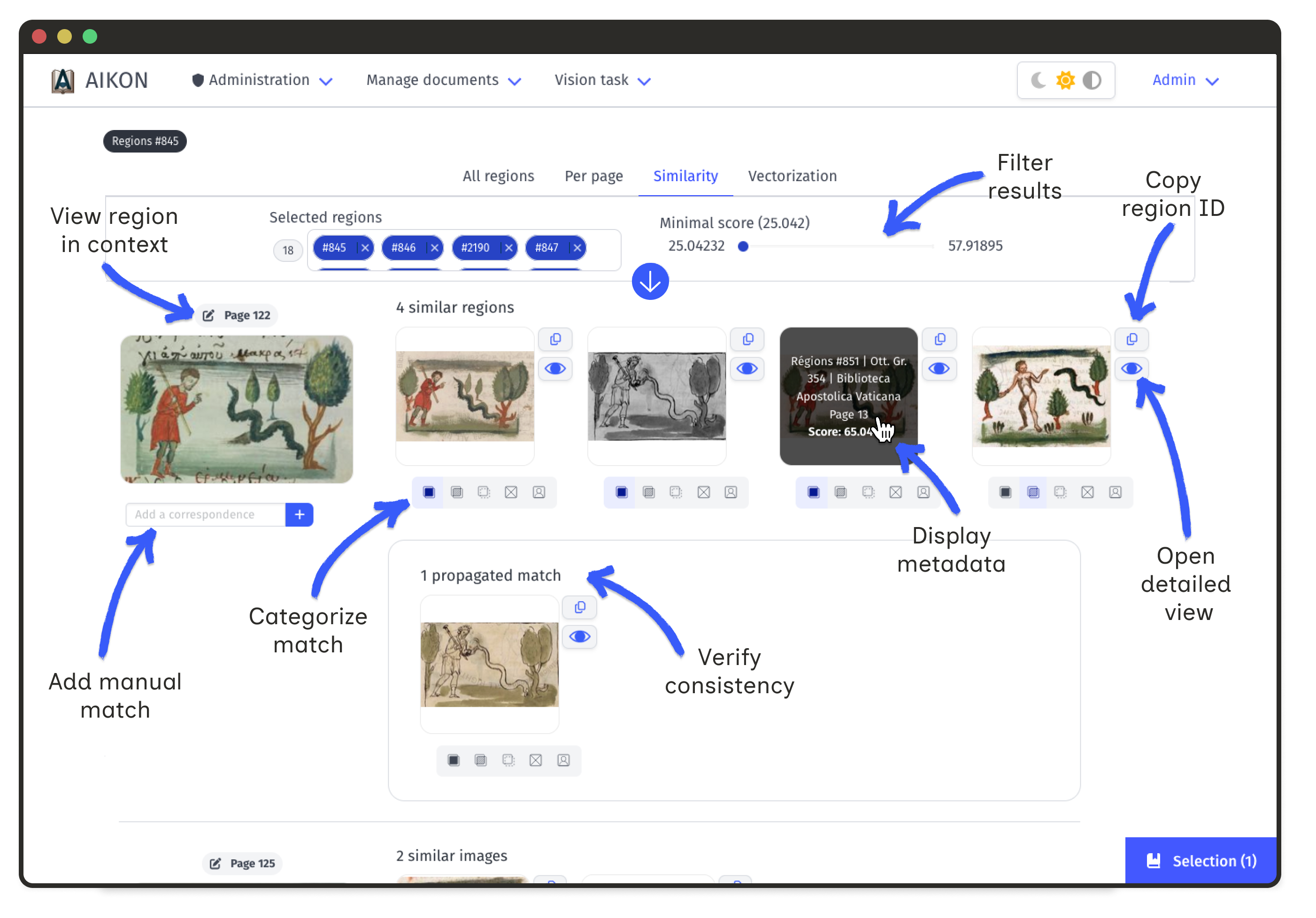
Annotation Levels
- Exact match identical visual reproduction
- Partial match shared elements with modifications
- Semantic match similar content, different visual form
- No match false positive from the algorithm
- User match correspondance specific to the user
Match Propagation
Annotated matches enable propagation: if A matches B and B matches C, then A and C form a propagated similarity. This helps reveal annotation inconsistencies and discover new connections.
Filtering and Comparison
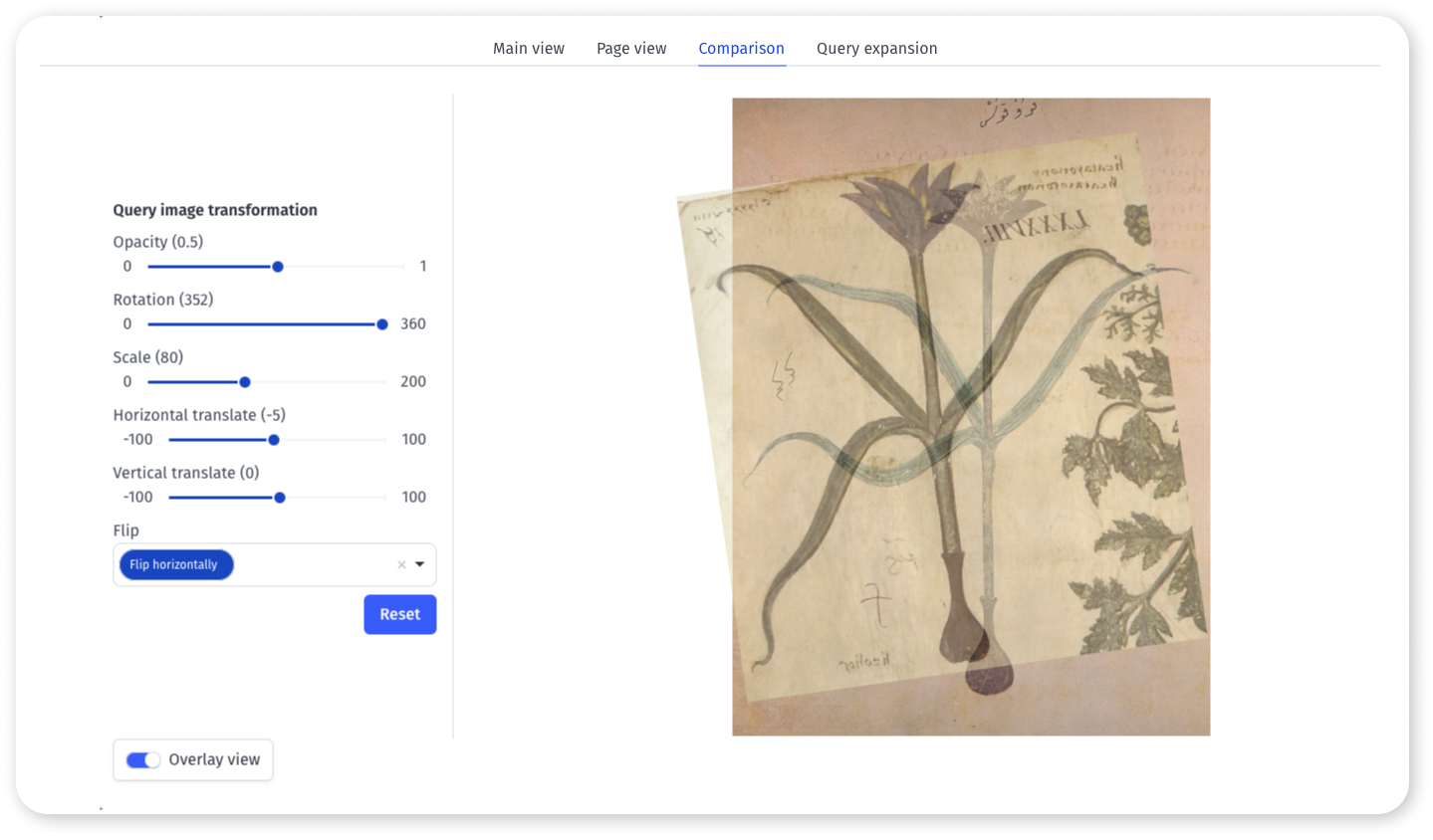
Use the toolbar to filter results by score, witness, and similarity level. The detailed view (eye button) allows overlaying images for precise comparison.
Vectorization
Visualize geometric shapes extracted from diagram images overlayed on the original image. Each vectorization can be downloaded as an SVG file for further editing in vector graphics software.